Airbnb’s Booking Settings in AdvanceCM allow you to sync important booking settings directly from your dashboard to Airbnb, helping ensure a consistent and seamless booking experience for you and your guests.
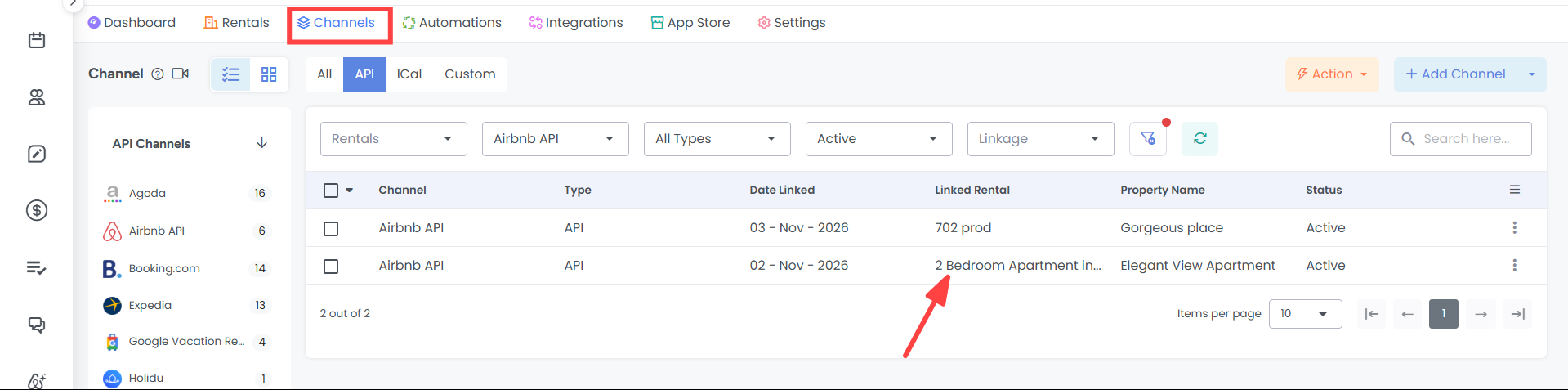
Navigate to your Channels Connections list by clicking "Channels" in AdvanceCM
Find any Airbnb API connection and click on it
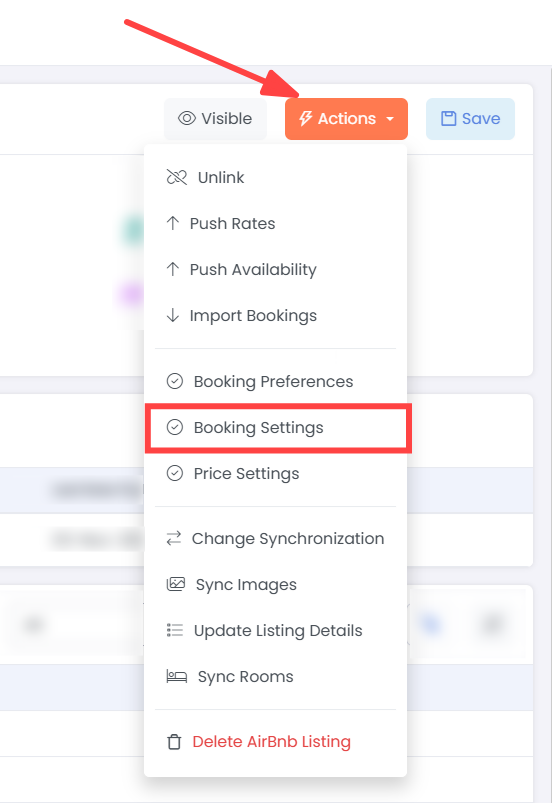
Its Connection Details overlay will open. Click on the orange Actions button and select Booking Settings
Sections in Airbnb Booking Settings
The Booking Settings are organized into three sections: Policies (for Cancellations and Guests), House Rules, and Listing Expectations for Guests
1. Policies
Cancellation Policy
In this section, you can manage Airbnb’s Standard and Long-term cancellation policies, as well as apply Non-refundable discounts.
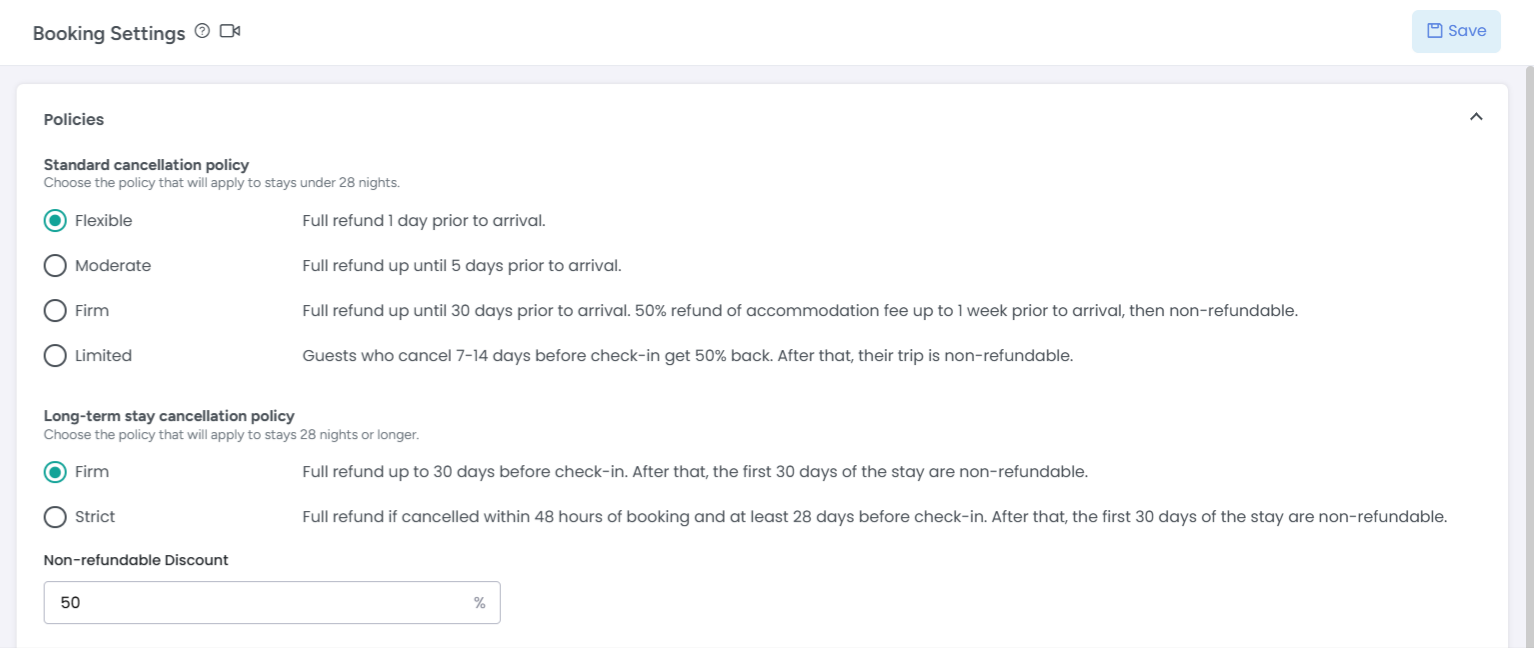
Standard Cancellation Policy: This is synced with Airbnb and appears under the Cancellation Policy section.
Long-term Stay Cancellation Policy: Applies to stays longer than 28 days and appears in Airbnb under a separate heading.
Non-Refundable Discount: If you apply a non-refundable discount, Airbnb will automatically update the cancellation policy to "Non-Refundable." While Airbnb may display a fixed 10% discount, the actual discount applied to the guest’s booking will match your custom settings in AdvanceCM.
Instant Booking
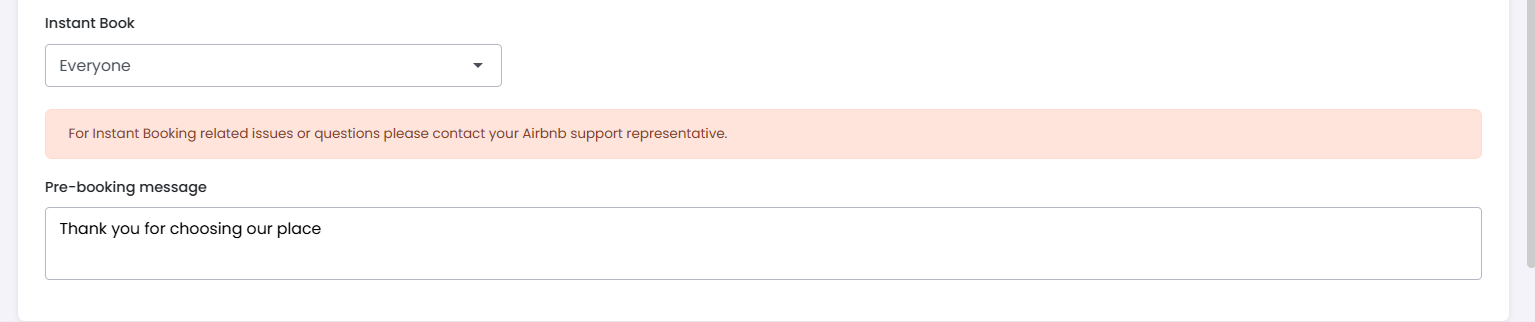
You can also specify who can Instant Book and set a Pre-booking message.
Note: When connecting via the API to AdvanceCM, instant booking is turned on automatically by Airbnb. There is no option to turn it off in AdvanceCM.
You can put some restrictions in place regarding when your rental can be booked. For example, you can set up a Minimum Leadtime so that guests can only instantly book once they have met this time requirement.
This setting syncs directly with Airbnb’s Policies and Rules section. The same applies to your Pre-booking Message, which is also reflected on Airbnb.
2. House Rules
The House Rules section lets you define rules that guests must follow. Airbnb enforces these, and guests who violate them can be removed from the platform.
You can set:
✅ Whether Events are allowed
✅ Whether Smoking, vaping, etc or Pets are permitted
✅ Any Special Considerations - describing property features and potential safety risks for all guests
✅ The Check-in and Check-out window
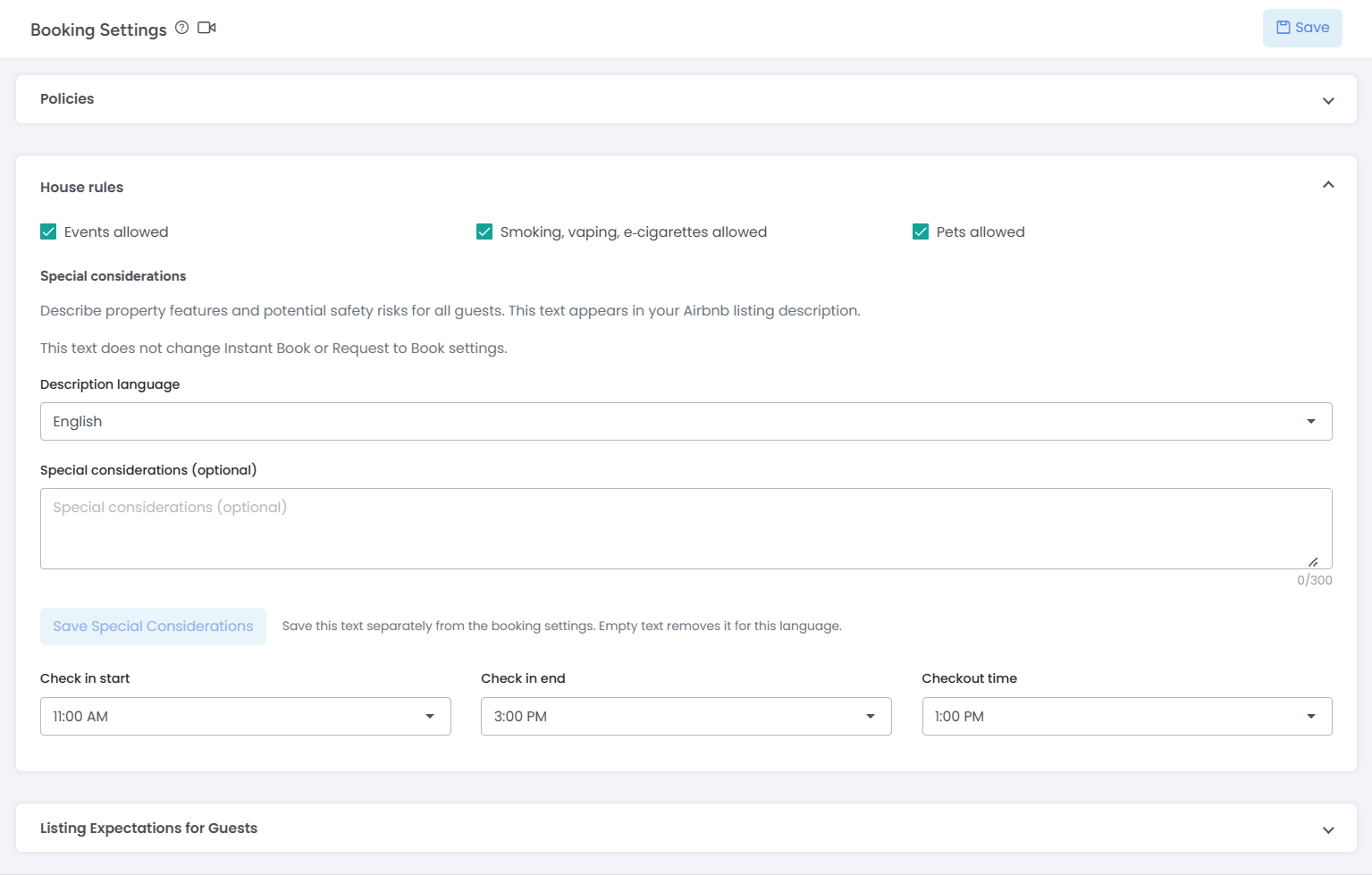
Any updates made here will automatically sync with Airbnb.
3. Listing Expectations for Guests
In this section, you can highlight important property details that guests should know before booking.
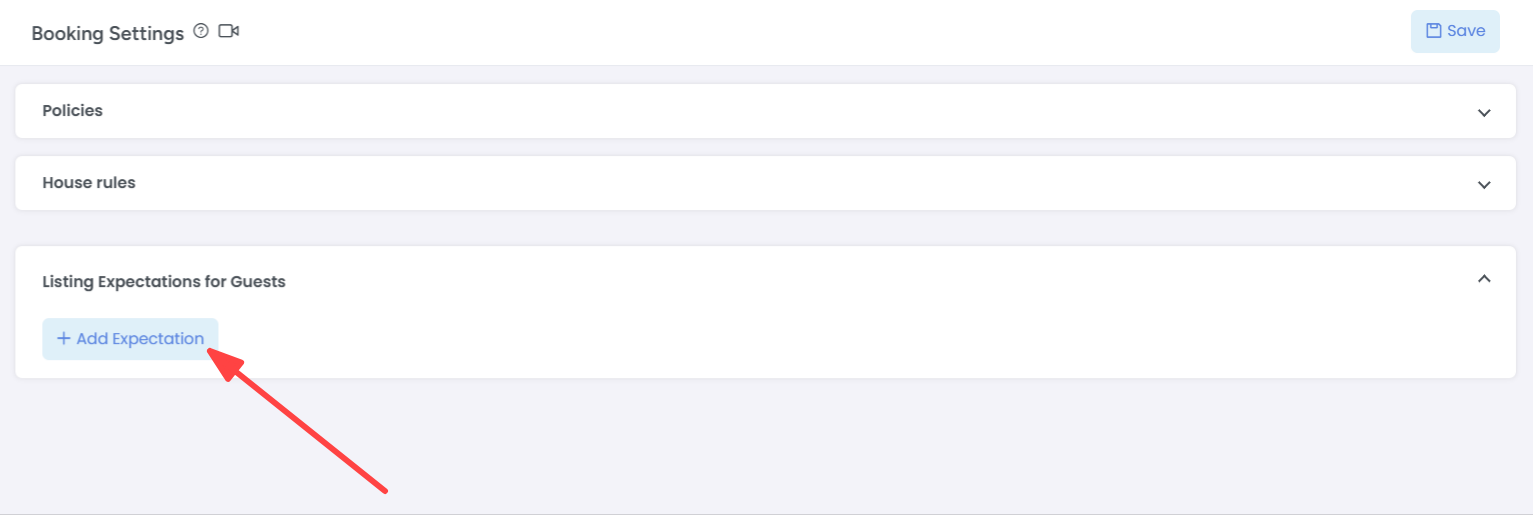
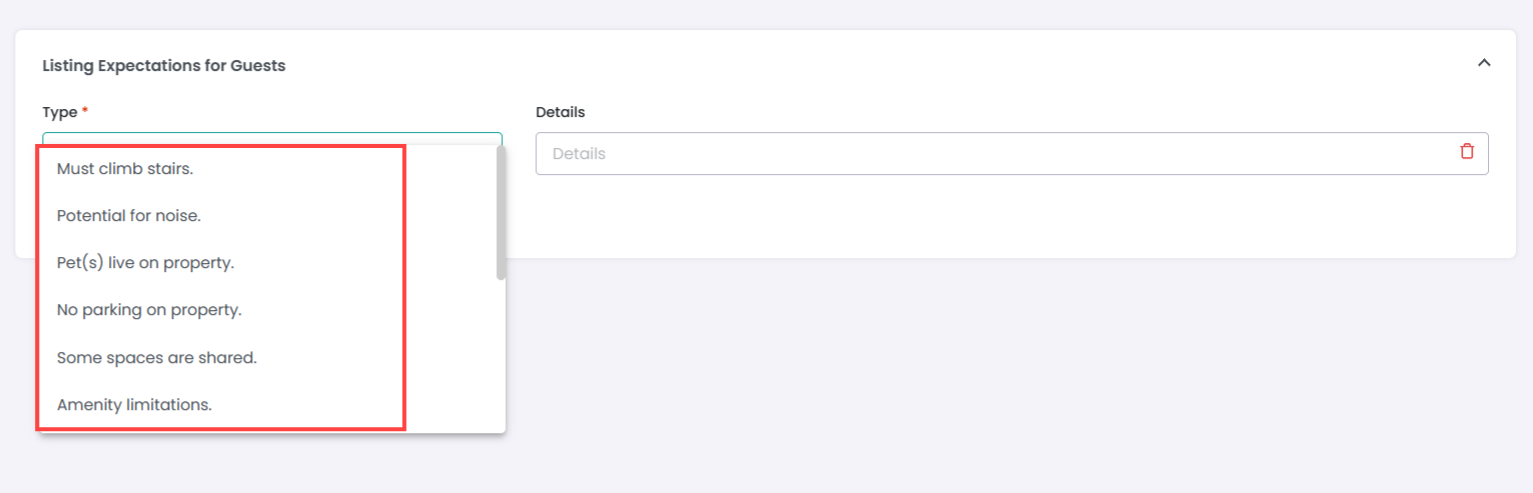

Where this appears on Airbnb:
To view this information on Airbnb:
Go to your Airbnb Listing Details
Scroll down to the Guest Safety section
Click on Guest Safety → then scroll to the to Property Info section
Your guest expectations settings configured in AdvanceCM will be displayed here.
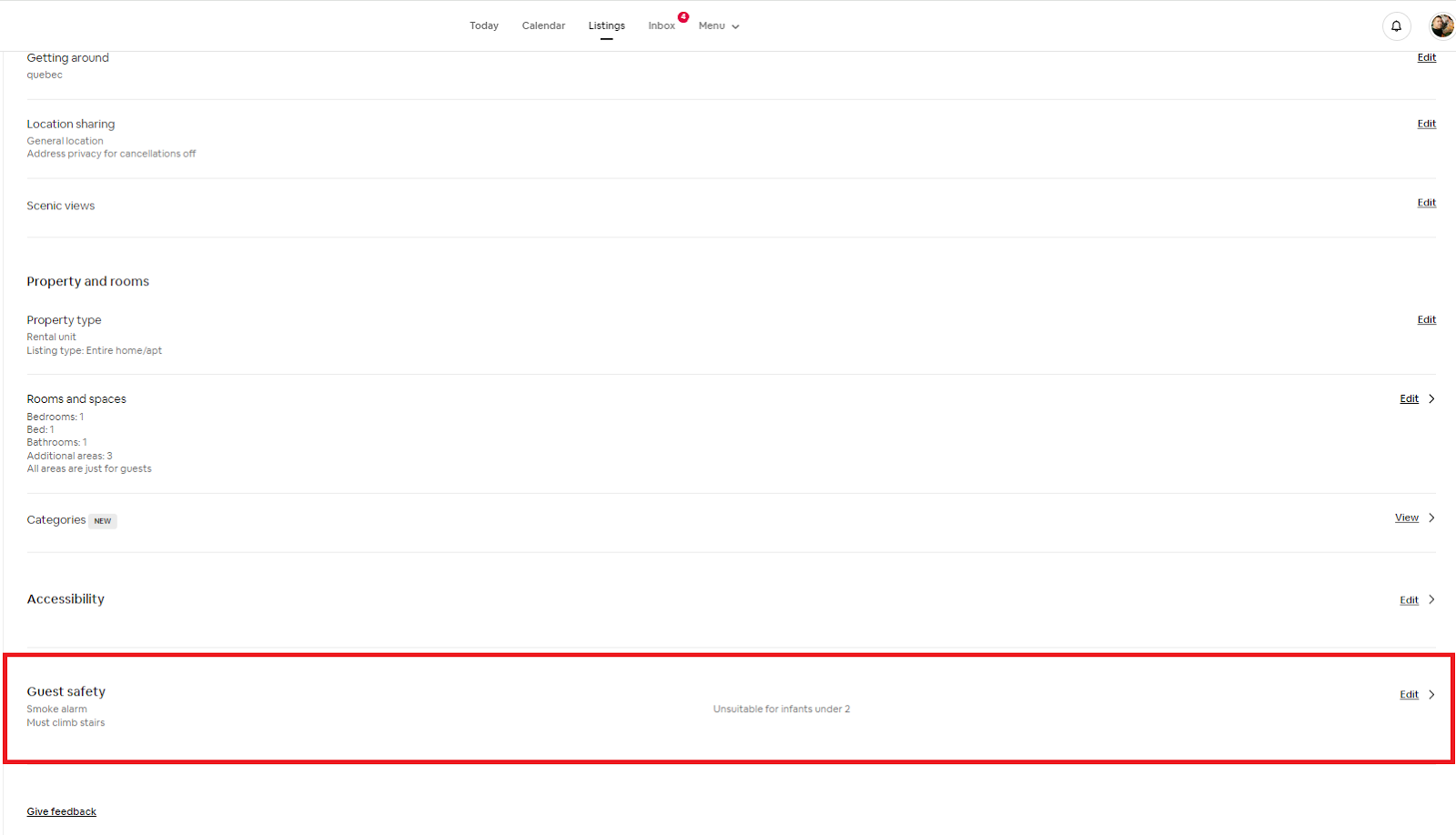
Important: Set Full Synchronization
To enable Full Synchronization:
In AdvanceCM, go to Channels and click on your Airbnb connection.
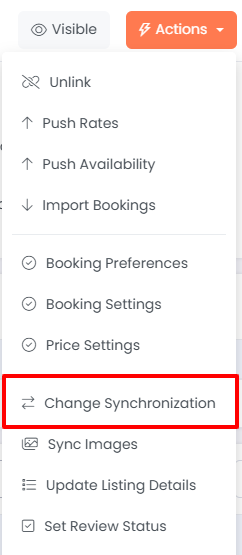
Click the Actions button, then select Change Synchronization.
Choose Full Synchronization from the available options.
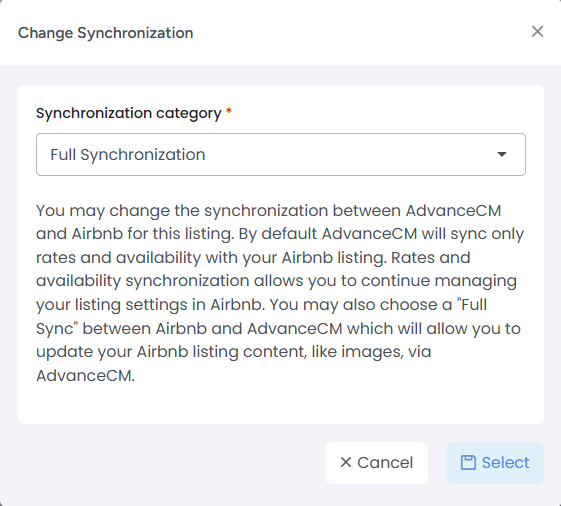
Alternatively, you may see a banner in the Booking Settings section. Click Change Synchronization on the banner and follow the same steps above to update your settings.

Once synchronization is set to Full, any changes you make in AdvanceCM will automatically sync to Airbnb, and vice versa.